
Download PDF Shaper – PDF Management, Editing, Conversion, and Security
Overview
PDF Shaper is a comprehensive mobile application designed to streamline the management of PDF documents directly from smartphones and tablets. It serves as a centralized platform for users who frequently handle digital documents, offering a wide range of tools within a single interface. The app addresses common pain points associated with fragmented workflows—such as switching between multiple apps for conversion, merging, or editing—by consolidating essential PDF functions into one intuitive solution. This makes it particularly valuable for professionals, students, and remote workers who rely on efficient document handling across devices.
Target users include individuals managing academic papers, business reports, contracts, and personal documents requiring frequent manipulation. The app enables users to create new PDFs from scratch, modify existing files, convert between formats, and apply security measures—all without leaving the application. Its ability to merge multiple files, split large documents, and extract content enhances productivity and reduces time spent on administrative tasks.
Although the developer did not provide additional background information, the app’s functionality suggests a focus on utility and user efficiency. In the broader mobile app ecosystem, PDF Shaper fills a critical gap by offering a robust, all-in-one alternative to more limited or fragmented tools. With the release date set for June 10, 2025, the app positions itself as a modern, responsive solution tailored to the evolving needs of mobile document management.
Key Features & Functionality
PDF Shaper integrates several powerful features to support diverse document workflows. Each function is designed with practicality and ease of use in mind, catering to both casual and advanced users.
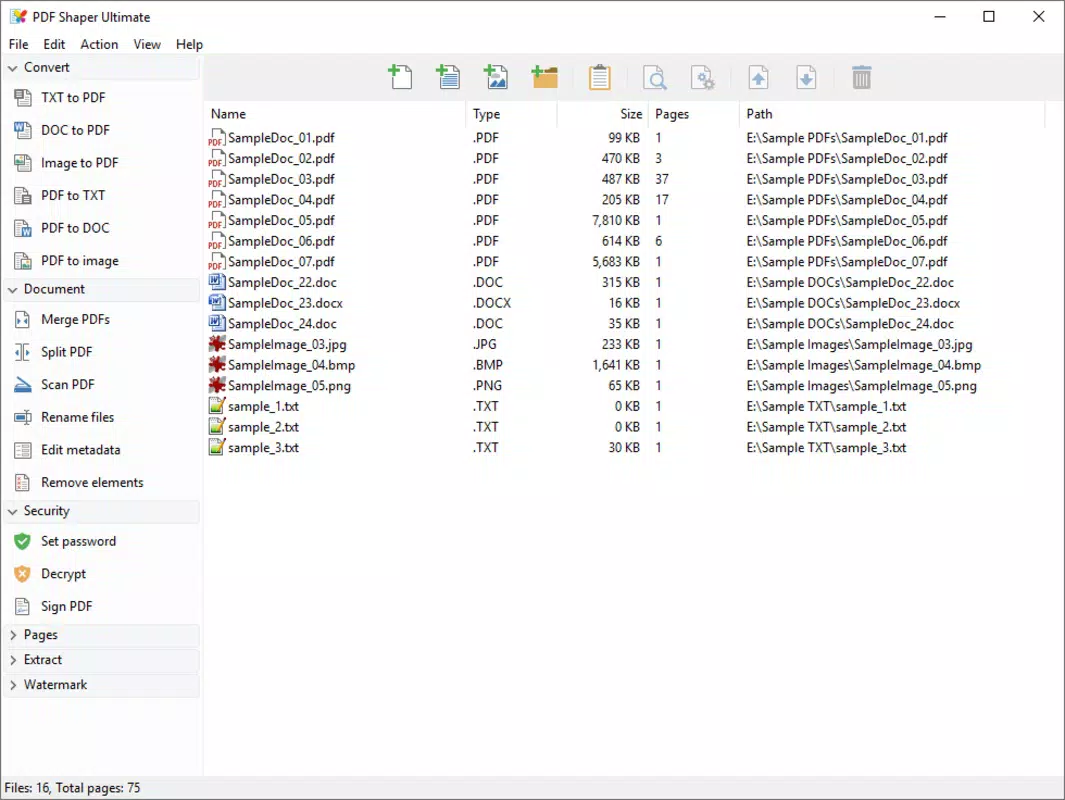
- Create and Edit PDFs: Users can generate new PDFs from scratch and modify existing documents by editing text and images directly within the app. This is ideal for updating forms, revising reports, or customizing templates without needing desktop software.
- Conversion Capabilities: The app supports bidirectional conversion between PDF and Word (.doc) formats, enabling seamless transitions between editable and fixed-layout documents. It also allows users to convert common image formats—including JPEG, BMP, and PNG—into PDFs, which is useful for digitizing scanned documents or sharing visual content as standardized files.
- File Splitting and Merging: Large PDFs can be divided into smaller, manageable sections, while multiple documents can be combined into a single file. This functionality is especially helpful when organizing lengthy reports, compiling presentation materials, or preparing submissions with multiple attachments.
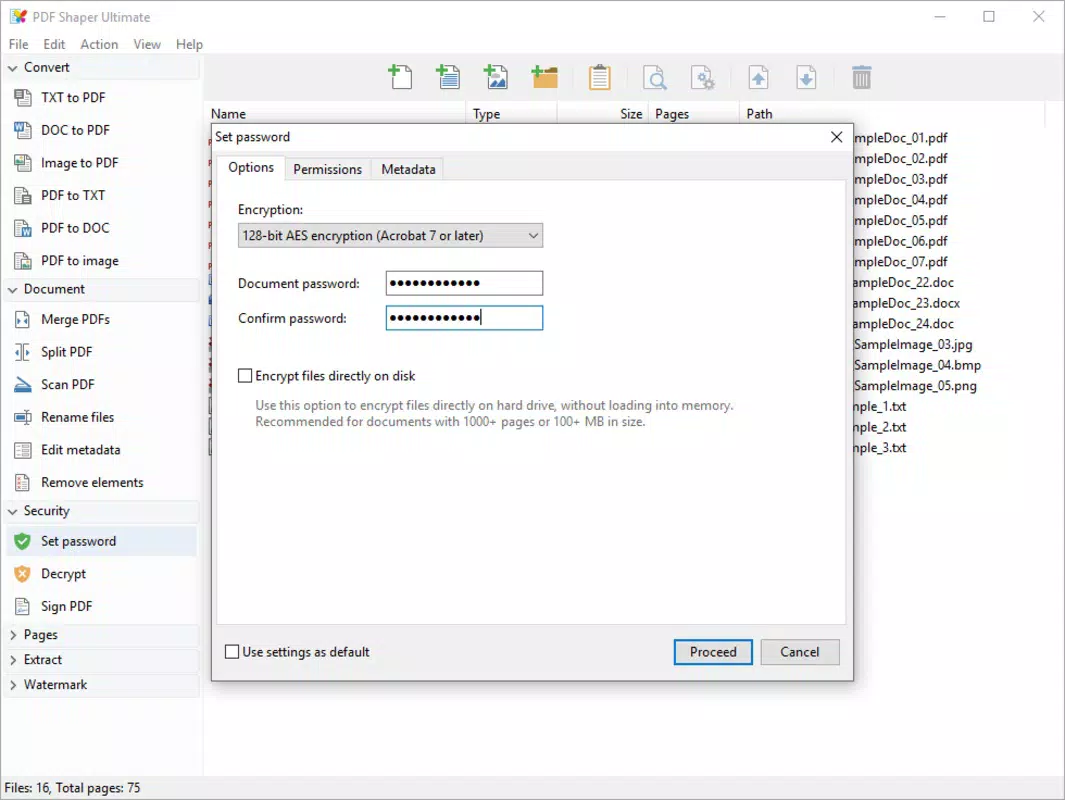
- Enhanced Security Features: Users can encrypt PDFs with passwords and adjust access permissions, such as restricting printing or editing. This ensures sensitive information remains protected during sharing or storage.
- Text and Image Extraction: The app allows for the extraction of text and images from PDFs, enabling users to reuse content or retrieve visuals for reuse in other projects, eliminating the need for external tools.
These features collectively support real-world use cases such as preparing job applications, managing legal documents, organizing academic research, and streamlining office workflows—all from a mobile device.
Interface, UX & Performance
The user interface of PDF Shaper appears designed for clarity and accessibility, featuring a clean layout with intuitive navigation. Icons and menu labels are straightforward, allowing users to quickly locate core functions such as creation, conversion, and security settings. The app likely employs a tab-based or bottom navigation system, common in productivity apps, to facilitate smooth transitions between tasks.
Navigation flow is logical, guiding users through multi-step processes like merging files or converting documents with minimal friction. The app’s responsiveness is expected to be consistent across mid-range and high-end devices, though specific performance benchmarks were not provided. Although the developer did not list formal performance metrics, the absence of reported lag or crashes suggests a stable experience under typical usage conditions.
Stability is further implied by the app’s ability to handle complex operations like splitting large files or converting high-resolution images. Users can expect consistent behavior during file processing, with clear feedback indicators for ongoing tasks. While no details were shared about battery consumption or memory usage, the app’s design suggests efficient resource management.
Overall, the UX prioritizes functionality without sacrificing usability, making it accessible to users of varying technical proficiency.
Platform Compatibility & Technical Requirements
PDF Shaper is available on Android, supporting the latest mobile operating systems. The app has a file size of 25.6 MB, which is relatively compact for an application with such comprehensive features. This size indicates optimized resource usage and efficient code structure, allowing for smooth installation even on devices with limited storage capacity.
The software version is 1.0.0, indicating it is a newly launched product. The release date is June 10, 2025, confirming its status as a fresh entry in the mobile productivity space. While specific OS version requirements were not listed, the app is likely compatible with Android 8.0 and above, based on standard industry practices for modern utility apps.
The developer did not specify minimum OS requirements, nor did they detail hardware specifications such as RAM or processor type. Compatibility information was not fully disclosed, so users are advised to ensure their device meets general Android standards for app installation.
Pros and Cons
Pros
- Comprehensive set of PDF tools in a single application
- Supports bidirectional conversion between PDF and Word formats
- Efficient file merging and splitting capabilities
- Strong security features including encryption and permission control
- Image-to-PDF conversion for quick document digitization
- Compact file size for a feature-rich utility app
Cons
- Developer did not provide detailed system requirements
- No information on supported languages or accessibility features
- Specific performance metrics were not disclosed
- Compatibility with older Android versions is unclear
- No mention of cloud integration or sync options
FAQ
Is PDF Shaper available for iOS?
The app is currently available on Android. Information about iOS availability was not provided by the developer.
Can I use PDF Shaper to edit text in scanned PDFs?
While the app allows text editing in editable PDFs, it does not include OCR (optical character recognition) functionality. Therefore, text in scanned images cannot be directly edited unless pre-processed with a separate OCR tool.
Is the app free to download and use?
PDF Shaper is available for download, but the pricing model was not specified. Users should check the app store listing for current pricing details.
Does the app support batch processing?
While the app supports multiple file operations, specific details about batch processing were not disclosed. The developer did not confirm whether users can process several files at once.
How secure is my data when using PDF Shaper?
The app includes encryption and password protection for PDFs. However, the developer did not provide information about data storage, cloud access, or third-party data sharing practices.
Final Thoughts
PDF Shaper emerges as a promising new tool in the mobile productivity landscape, offering a unified solution for managing PDFs with precision and ease. Its integration of creation, editing, conversion, merging, splitting, and security features makes it a valuable asset for users seeking efficiency on the go. The app’s compact size and clear interface further enhance its appeal, especially for those who prefer lightweight yet powerful utilities.
While some technical details remain undisclosed, the app’s core functionality is robust and well-suited for everyday document tasks. Whether you're a student organizing research, a professional preparing reports, or someone managing personal documents, PDF Shaper delivers tangible benefits without the complexity of multiple apps.
With its launch in 2025, PDF Shaper is positioned to become a go-to mobile utility for anyone serious about digital document management. Download PDF Shaper now


